Online stores and B2B portals

Launch a new store with Webixty or move an existing one. Your team manages products, payments and orders in the same place.

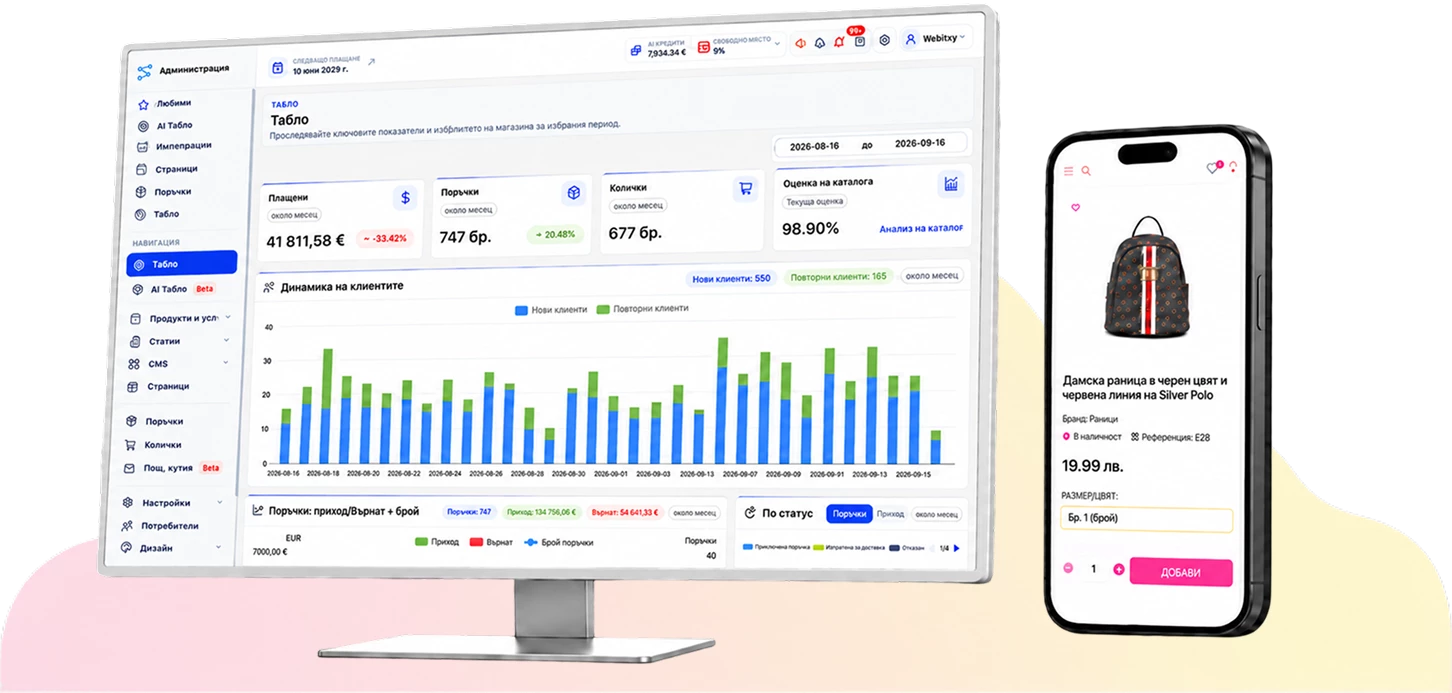
Webixty store admin home screen with sales reports and the management menu
The Webixty admin panel shows sales reports and gives you access to products and orders.

What you get with your store

Launch setup

We configure your design, payments and shipping, and show your team how to process its first order.

Catalog and pricing

Add products, variants and promotions yourself. In a B2B portal, you set access and prices by trade customer.

Orders, shipping and documents

Track orders and payments. With integrations enabled, generate labels and send order data to Aksiena for invoicing.

Online store plans

Choose a plan based on your catalog size and pay monthly or once. Monthly subscriptions include hosting and technical support.

START

Up to 1,000 products

€19.50per month

One-time price
€495
Hosting and support with one-time payment
€36 for one year

PLUS

Up to 2,000 products

€24per month

One-time price
€540
Hosting and support with one-time payment
€72 for one year

BIG

Up to 10,000 products

€75per month

One-time price
€985
Hosting and support with one-time payment
Quoted per project

Included in all three plans

  • Store setupWe adapt the design to your brand, configure the store and train your team.
  • Admin panelManage products and orders, and edit pages using the visual editor.
  • Pricing and promotionsCreate categories, price lists, discounts and loyalty rules.
  • Payments and shippingConnect supported payment providers and carriers such as Econt and Speedy.
  • Languages and emailGet a Bulgarian version and a second language of your choice, plus email at your domain.
  • SEO and analyticsThe plans include basic SEO, a Facebook product feed and Google Analytics and Google Ads integrations.

CUSTOM For catalogs over 10,000 products, pricing, hosting and support are quoted per project.

Standalone B2B portal Pricing depends on your price lists, partner access and integrations.

Which plan fits your store?

Know which plan you need? Order it online. If you’re deciding, tell us how many products you have and whether you’re moving an existing store.
Stores and portals we’ve built

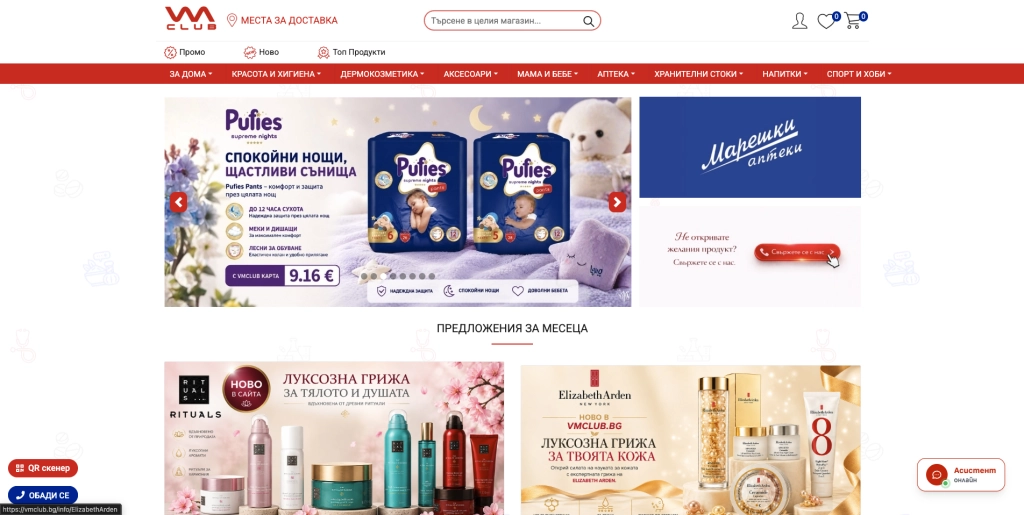
The VM Club online store homepageVM Club

Online shopping with member pricing, delivery and pickup.
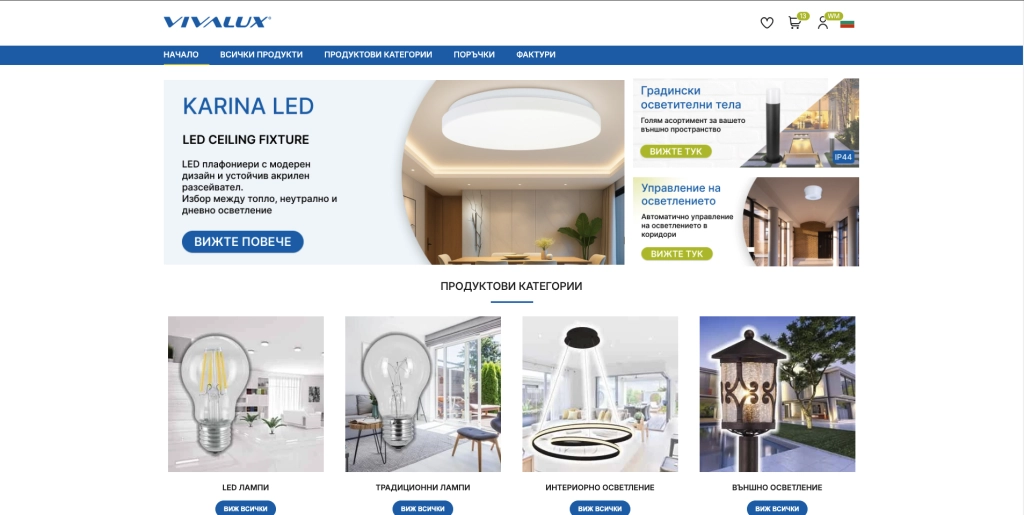
The VIVALUX B2B portal homepageVIVALUX B2B

A technical catalogue and wholesale lighting orders.

The Mobella online storeMobella

A retail catalogue with filters and mobile ordering.

Store integrations

Accept online payments, create shipping labels, and exchange orders with ERP or invoicing software.


  • Econt
  • Stripe
  • BoxNow
  • Meta
  • Speedy
  • PayPal
  • EasyPay
  • Sameday
  • Revolut
  • tbi bank

Plus 25 more integrations for your store.

What your online store can do

Product catalog

Organise your catalogue with categories, variants and filters. Update pages and banners yourself.

Details
  • Organize products into categories and subcategories. Choose the attributes customers can filter by, such as brand, size, or material.
  • Manage photos, descriptions, item codes, prices, and stock. Add options buyers can select when ordering, such as size or color.
  • Sell an item individually, by the box, or in another unit with its own quantities and prices.
  • Edit banners, product sections, and information pages yourself. Customers can shop on a phone or computer.

Shopping and orders

See payments, deliveries and status for each order. Manage promotions and discount codes.

Details
  • Customers select an option and quantity, add the item to the cart, and check out with the available delivery and payment methods.
  • Manage sale prices, discount codes, and the conditions under which promotions apply.
  • See items, payment, and delivery details in the admin panel. Find orders by number, customer, or date range.
  • Move orders through their processing statuses and export records when you need to work with them outside the store.

Payments and shipping

Offer online payment, cash on delivery and shipping to an address, office or parcel locker, depending on the courier.

Details
  • Offer bank transfer, cash on delivery, or online payment through a supported provider such as Stripe, ePay.bg, or PayPal.
  • Connect courier accounts such as Econt and Speedy. Customers can select an address or pickup point where the courier offers it.
  • Shipping costs are calculated for the selected method. You can set a free-shipping threshold.
  • With courier integration configured, generate and print a shipping label from the order and see the status reported by the courier.

B2B portal and agreed pricing

Give each trade partner access to their own products and prices, including for wholesale orders.

Details
  • Partners register with company details. An administrator approves access and assigns a price list.
  • Partners sign in to see the products and prices available to them. Use a shared list for a group or give a company its own list.
  • Set prices by item and selling unit and discounts by category. One partner can order by the case while another pays an agreed unit price.
  • B2B payment terms are configured separately from retail payments. Partners can view their orders and available documents.

ERP and invoicing

Share stock data with ERP. Issue invoices through Aksiena and electronic receipts for supported payments.

Details
  • With Cloud ERP, exchange catalog and stock data. For example, stock can be maintained in ERP and sent to the store.
  • Order exchange creates a reference copy in the other system. Online orders are processed in the store and in-store sales in ERP.
  • For Microsoft Dynamics, we agree which customer price lists and B2B orders should be exchanged.
  • Aksiena receives Webixty data for invoicing when connected. Automatic electronic receipts are available for confirmed payments from supported providers.
How Aksiena works

Moving from another store

We review the data available for migration and test the journey from product to delivery before launch.

Details
  • Review the export and map item codes, categories, and fields. What can be migrated depends on the data available.
  • Check representative product, order, payment, and delivery workflows before launch. If B2B is included, also check access and prices with a test trade account.
  • Agree what your team will maintain in the admin panel and what the integrations will update. Scope additional modules and custom connections separately.